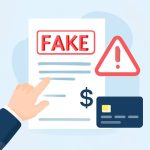
Digital documents are convenient but vulnerable. Learn practical and technical ways to detect fake pdf and other forged files so organizations and individuals can stop fraud before it wounds finances or reputation.
Recognizing Red Flags: Visual and Document-level Clues
Fraudulent PDFs and forged invoices often reveal themselves through simple visual and contextual inconsistencies. Start by scanning the document for layout errors, mismatched fonts, irregular alignments, inconsistent date formats, or suspicious logos that appear slightly stretched or blurred. A genuine invoice or receipt typically follows the sender’s branding rules exactly, while a fake will often show typographic anomalies or misplaced line items. Pay attention to numerical values: totals, tax calculations, and subtotals that don’t add up correctly are immediate red flags.
Metadata visible in common PDF viewers can also provide clues. Fields such as author, creation date, and modification date that contradict the stated issue date of the invoice suggest alteration. If a document claims to be newly issued but the metadata shows a much older creation date, treat it with suspicion. Similarly, embedded fonts that don’t match corporate templates or images pasted as low-resolution scans often indicate an edited or recreated document.
Cross-check invoice numbers, purchase order references, and vendor bank details against internal systems and known vendor records. Social-engineering attacks frequently use slight variations of legitimate supplier names or substitute bank account digits to redirect payments. A simple operational control—verifying any changes in payment instructions by calling a known vendor number (not the number on the suspicious PDF)—prevents many successful scams. For organizations wanting automated assistance, tools that help detect fake invoice can speed up initial triage by flagging inconsistencies across formatting, metadata, and known templates.
Technical Analysis: Metadata, Digital Signatures, and Forensic Tools
Technical inspection goes beyond surface checks and uses forensic techniques to detect pdf fraud with much higher confidence. Start with metadata extraction using utilities like ExifTool or specialized PDF inspectors. Look for XMP metadata, producer tags, and encryption flags. If fields such as Producer or Creator are unexpected (for example, indicating a consumer-grade editor rather than the company’s standard PDF generator), that could indicate tampering.
Digital signatures are one of the strongest defenses against fraud in PDFs. A valid cryptographic signature confirms integrity and the signer’s identity when the certificate chain is trustworthy. Use PDF viewers that validate signatures and present certificate details clearly. Beware of signatures that look visual-only (an image of a signature) rather than cryptographically bound; those provide no assurance over authenticity. Analyze object streams and cross-reference embedded images—if a signature image was pasted on top of newly edited text, the file structure often exposes the insertion points.
Advanced forensics include checking embedded fonts, color profiles, and image compression artifacts. OCR the PDF and compare the machine-readable text to the visible text; discrepancies can reveal pasted-in images of text or redacted layers. File-level hash comparisons against known good templates can detect any byte-level change. For organizations at scale, integrating automated scanners that combine pattern matching, ML anomaly detection, and rule-based checks reduces manual workload and improves detection of sophisticated schemes designed to detect fraud in pdf by exploiting human oversight.
Case Studies and Real-World Examples: How Detection Stopped Scams
Case 1: A mid-sized manufacturer received an invoice that matched a regular supplier’s template but requested payment to a different bank account. Visual inspection showed subtle logo degradation, and metadata revealed the PDF had been created on a consumer device. A call to the vendor confirmed no account change. The combined checks—template comparison, metadata, and vendor confirmation—blocked a six-figure diversion attempt and highlighted the need for vendor change controls.
Case 2: An employee submitted a travel expense with a detect fraud receipt scenario: the receipt image displayed proper layout, but totals didn’t match line items after OCR reconciliation. Forensic analysis found the total was a pasted image layer; the original receipt had a lower amount. Automated expense software that compares OCR output to embedded totals flagged the discrepancy and prevented reimbursement of an inflated claim.
Case 3: A nonprofit was nearly defrauded by a PDF grant award letter that contained a convincing signature image. Technical validation identified the absence of a cryptographic signature and mismatched PDF producer metadata. Investigation traced the document source to a free editing tool, confirming the file was a forgery. Implementing a policy to require digitally signed documents for approvals closed the vulnerability.
These real-world examples underline the importance of combining human judgment with technical controls: simple visual checks, metadata and signature validation, OCR reconciliation, and secure vendor verification processes. When teams apply layered defenses and established workflows, the ability to identify and remediate forged invoices and receipts improves dramatically, reducing risk and protecting cash flow from increasingly sophisticated PDF fraud campaigns.